
Server Software and Configuration Services
MailScanner Front-End
for cPanel and Direct Admin
$55 per server
An exclusive plugin for cPanel and DirectAdmin which allows you to manage and configure MailScanner on your server, and view and perform actions on emails processed by MailScanner.
- For dedicated or virtual servers – protects all domains, IP addresses and users on the server
- Scan email for spam using SpamAssassin
- Scan for viruses using ClamAV anti-virus scanner
- Internal scanner for dangerous file attachments by filename and filetype
- Scan for phishing attacks
What is MailScanner Front-End?
ConfigServer MailScanner Front-End is an exclusive plugin for cPanel and DirectAdmin that allows you to manage and configure MailScanner as well as offering additional features such as the MailControl viewer, SpamBox, and Digest emails.
What is MailScanner?
MailScanner is an open-source email security system which scans for viruses, spam, malware, phishing, and dangerous html in emails.
Who can use MailScanner Front-End?
- Web hosting companies that want to offer a mail scanning service to their customers
- Small/medium businesses managing their own dedicated or virtual servers
- Server management companies wanting to offer value added services
- Anyone running a cPanel or DirectAdmin dedicated server or virtual server, who wants spam and virus protection for their email accounts
Benefits of ConfigServer MailScanner Front-End
- Protect your users from spam, viruses, and dangerous attachments in email
- Goes beyond SpamAssassin and Clamav to include spam scanning, virus scanning and attachment scanning within one application with one central UI.
- Lets your users control what happens to spam sent to their accounts such as delete, forward, or place in spam box. You can also allow them to release spam emails and tag emails as spam or ham if there are false positives or negatives.
- Provides an easy to use interface within both the admin and user control panels.
- Licensed on a per server basis, no limit on users or account.
- One time purchase price, includes software updates for the life of the product. No monthly fees.
Questions?
Contact us via Email or the Helpdesk
Check the Frequently Asked Questions
$55 per server
Admin Features and Controls
- MailControl mail viewer for the whole server showing which emails are spam, non-spam, scanned vs not-scanned, viruses and infected emails, etc.
- If storing of messages is enabled, can view entire messages and mark as spam/non-spam via spamassassin sa-learn function for future scoring
- Search messages by subject, sender, recipient, spamassassin rule, headers, etc.
- Filter emails to view by spam status (non, low, high), attachments, infected, etc.
- View statistics for top viruses, spamassassin rules, senders and recipients, and many other parameters.
- Perform actions on individual emails such as release, blacklist or whitelist sender, mark as spam or ham, block IP address (if using csf), download attachments, report to spamcop, etc.
- Configure server-wide MailScanner and Front-End settings for performance and security
- Configure user access to features such as the user front-end, MailControl, and other functions
- Access and modify individual user and domain level settings
- Stop, restart or reload the MailScanner processes
- View the server maillog
- View the size of incoming and outgoing mail queues
Per Account Features and Controls
- Whitelists and blacklists for spam
- Set low and high spam score thresholds
- Configure a forwarding address for spam
- MailControl mail view for incoming mail, spam, and blocked emails
- Release spam email
- Mark emails as spam or non-spam
- View statistics
- Perform bulk actions on emails
Per Domain Features and Controls
- Set actions to perform on spam for two distinct score thresholds (deliver, delete, forward, spambox)
- Set virus scanning actions
- Configure Email Digest
Other Features
- Daily script to keep MailScanner settings in sync with domains when domains are added or removed on the server
- Server-wide bayes filter database to help improve identification of spam
- Choose between MySQL or SQLite database for MailControl
Screenshots
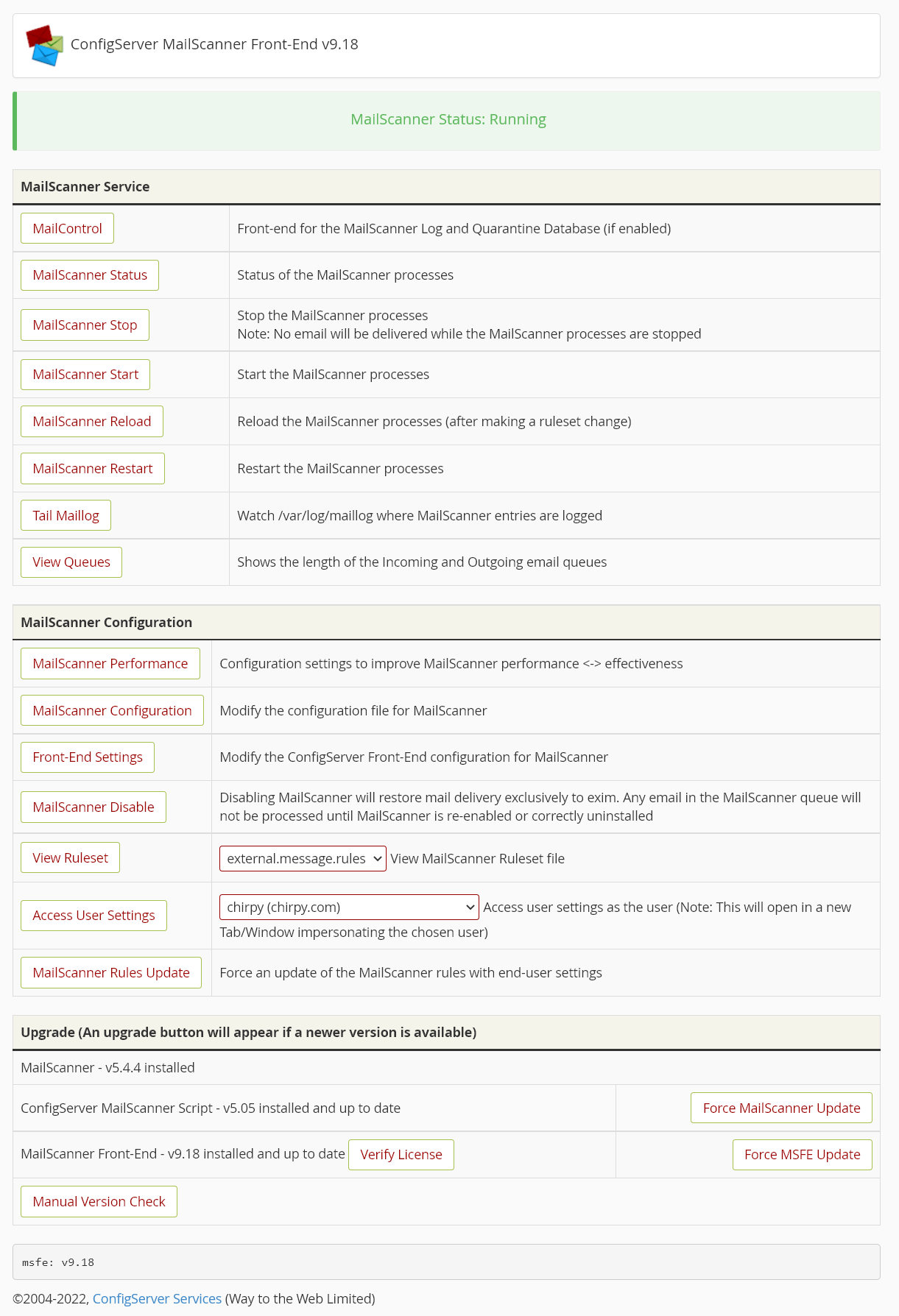
Admin main page

MailControl main page
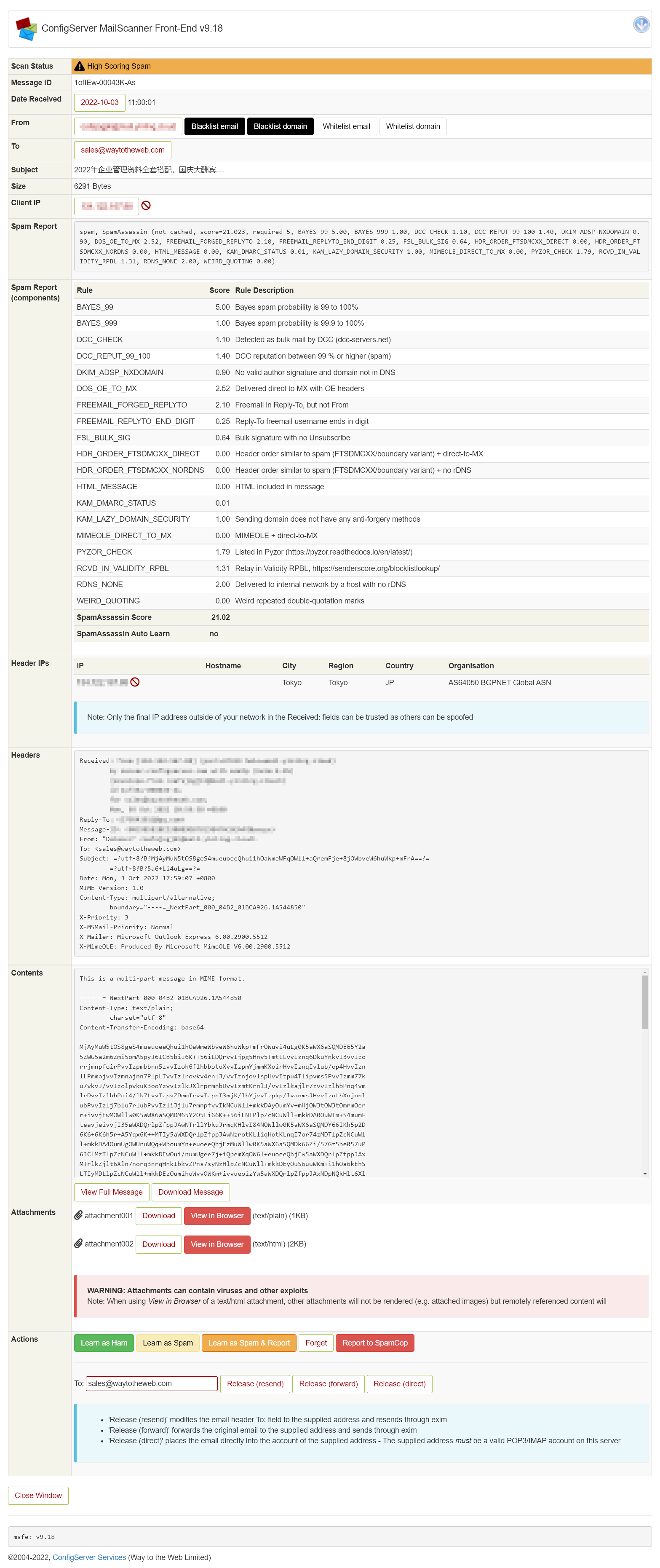
MailControl view individual email
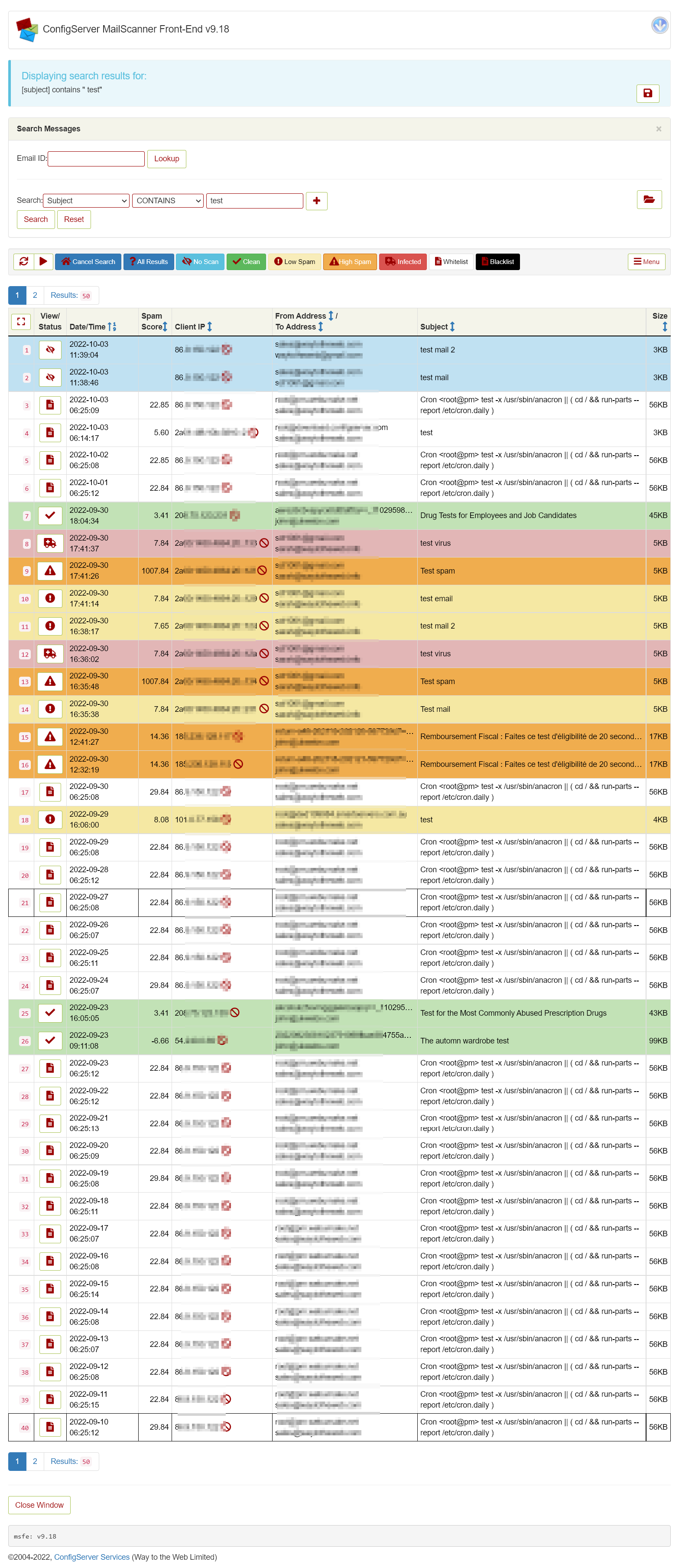
MailControl Search
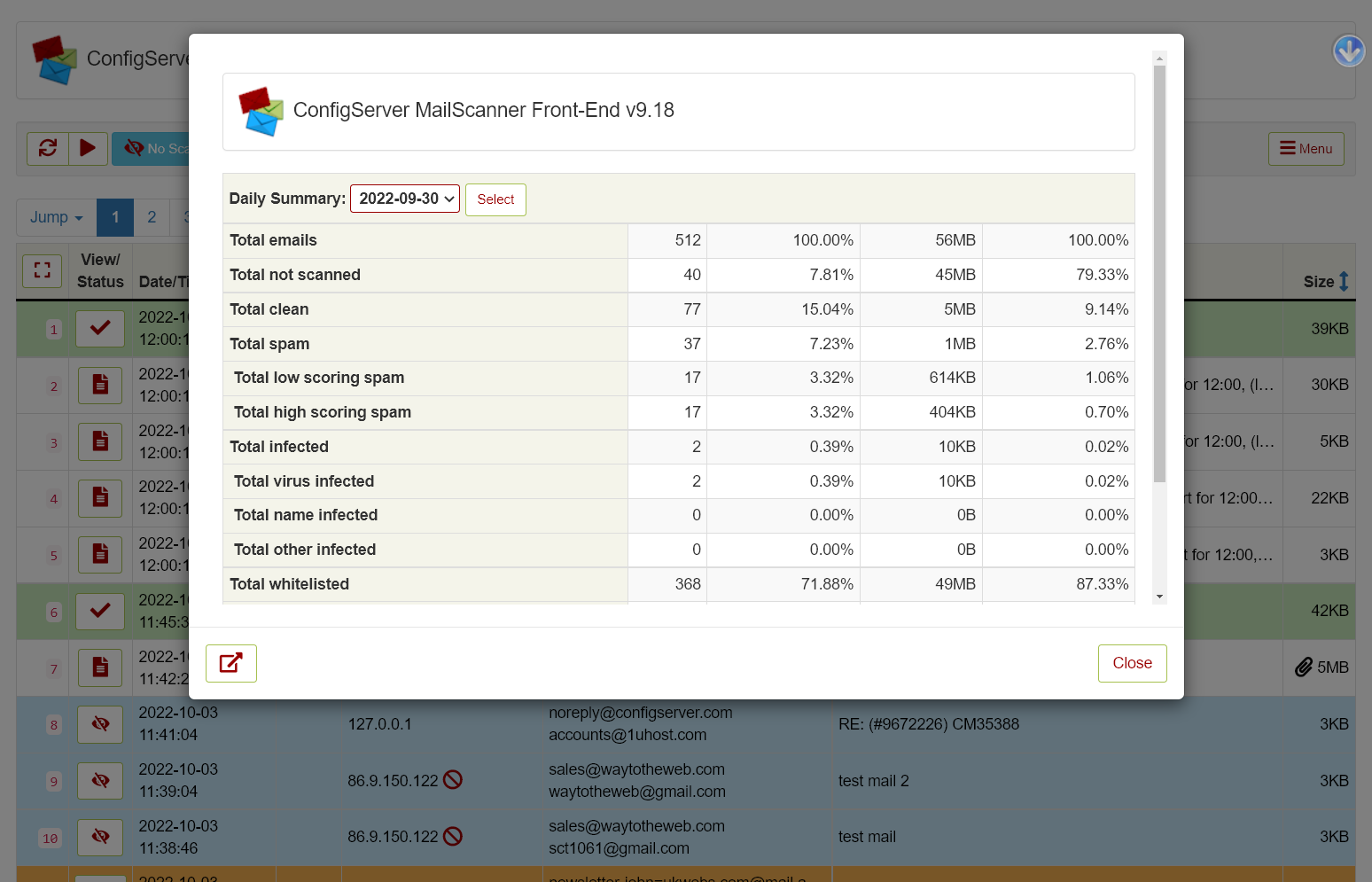
MailControl Daily Summary
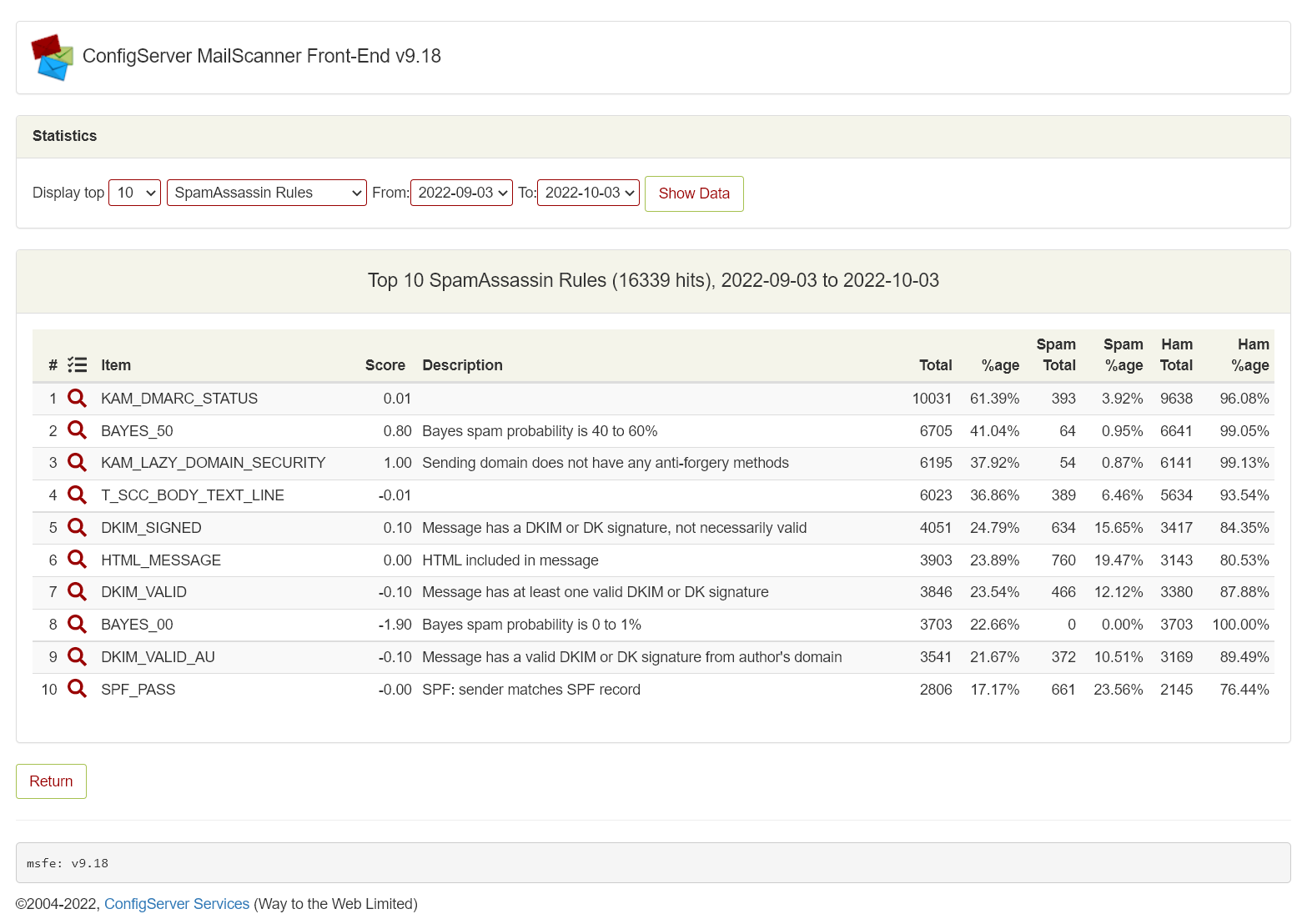
Statistics – Top SpamAssassin rule hits
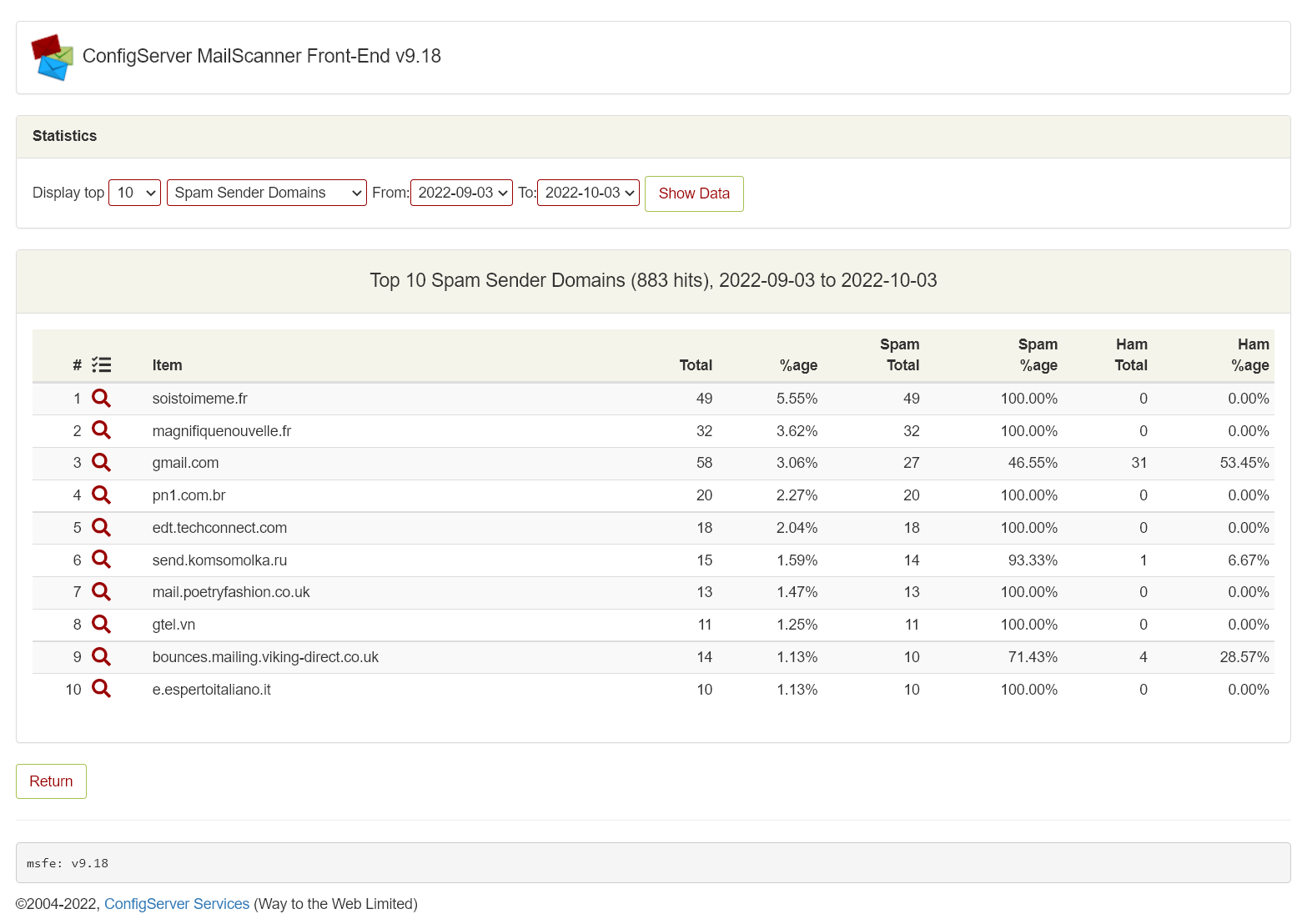
Statistics – Top spam sender domains
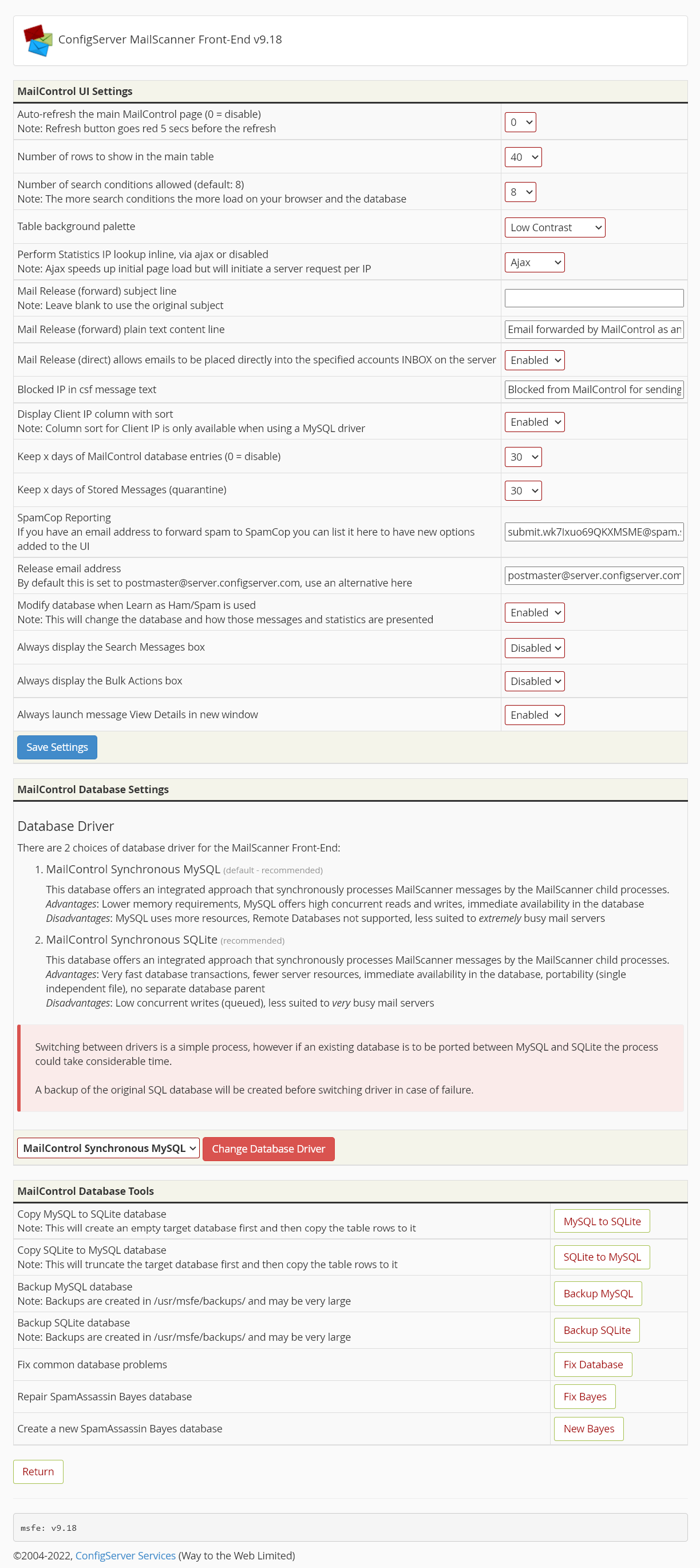
MailControl settings
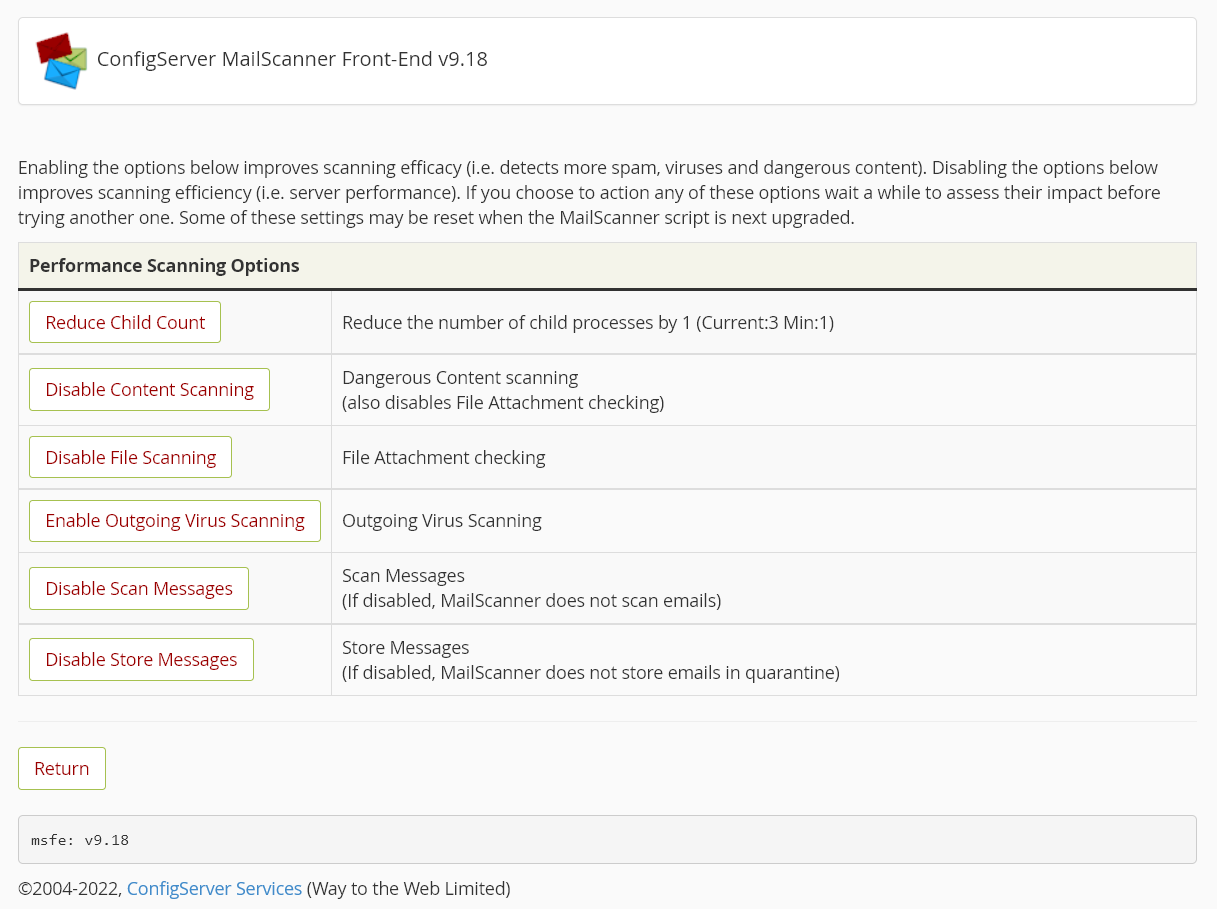
MailScanner performance settings

MailScanner main configuration file (excerpt)
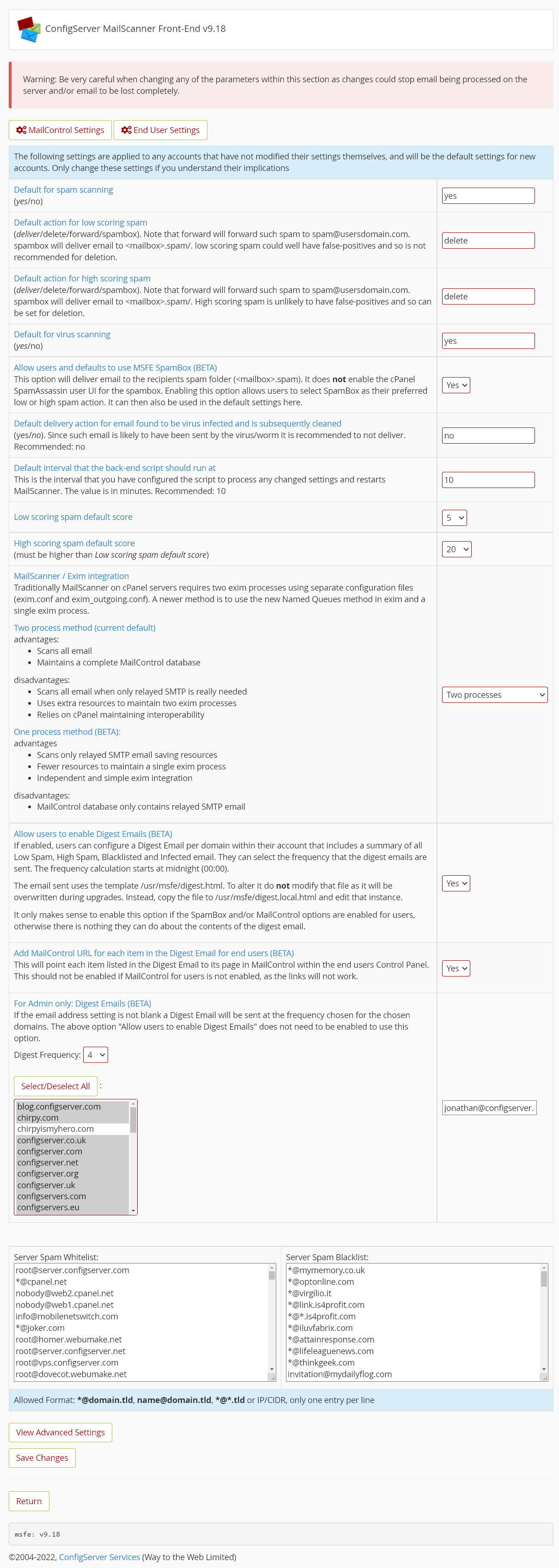
MailScanner Front-End settings
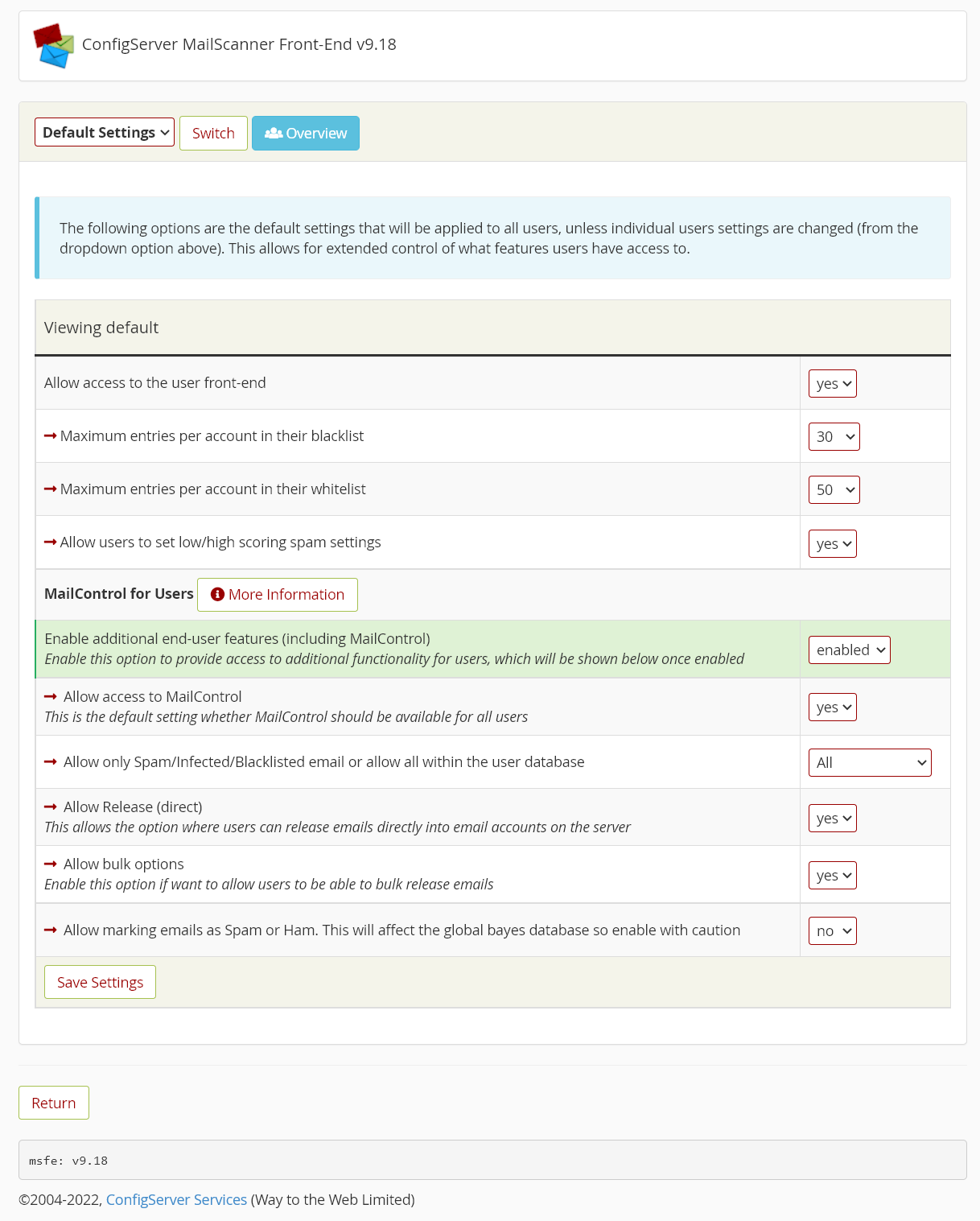
MailScanner Front-End User settings
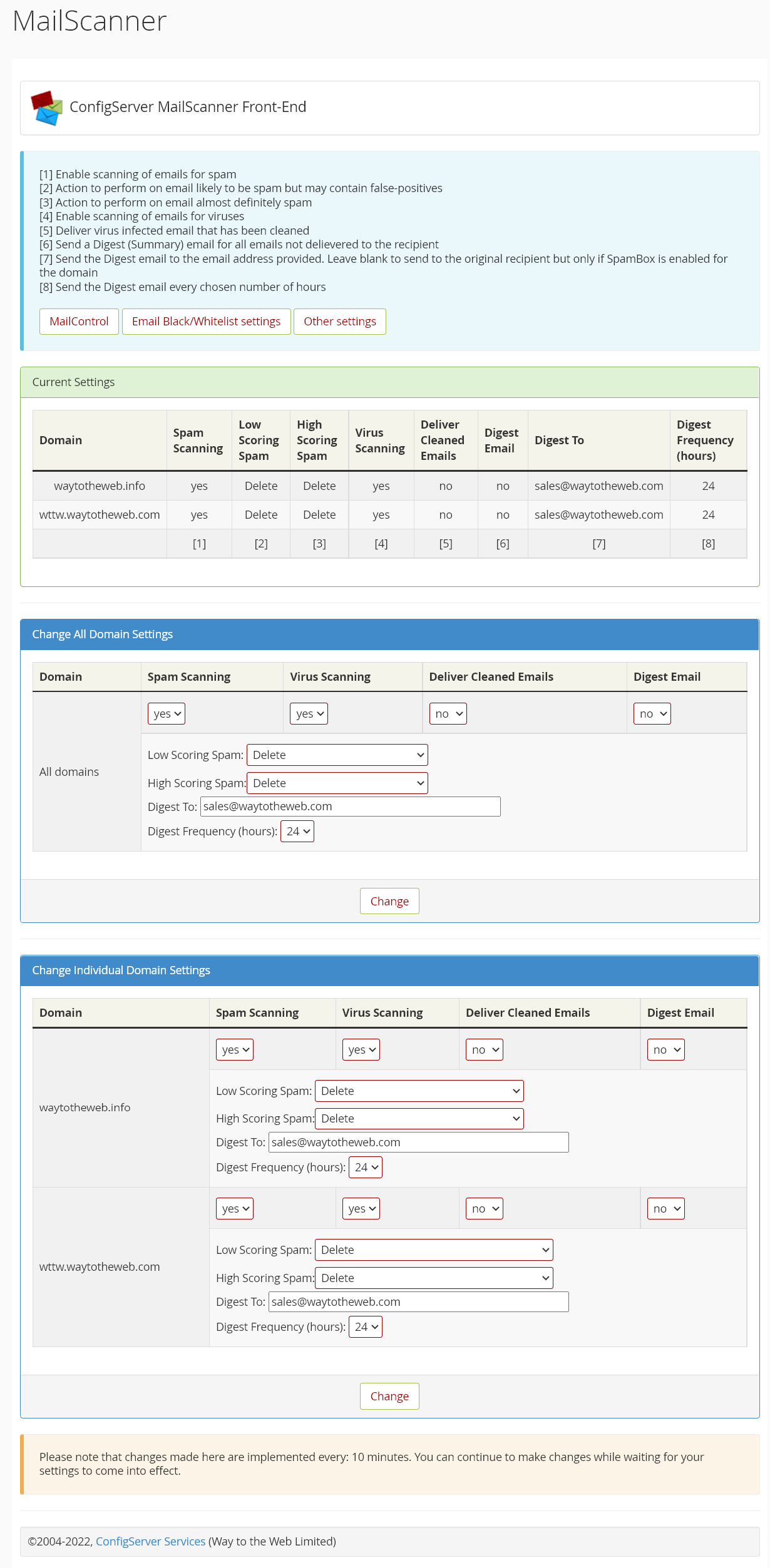
MailScanner Front-End user account main page
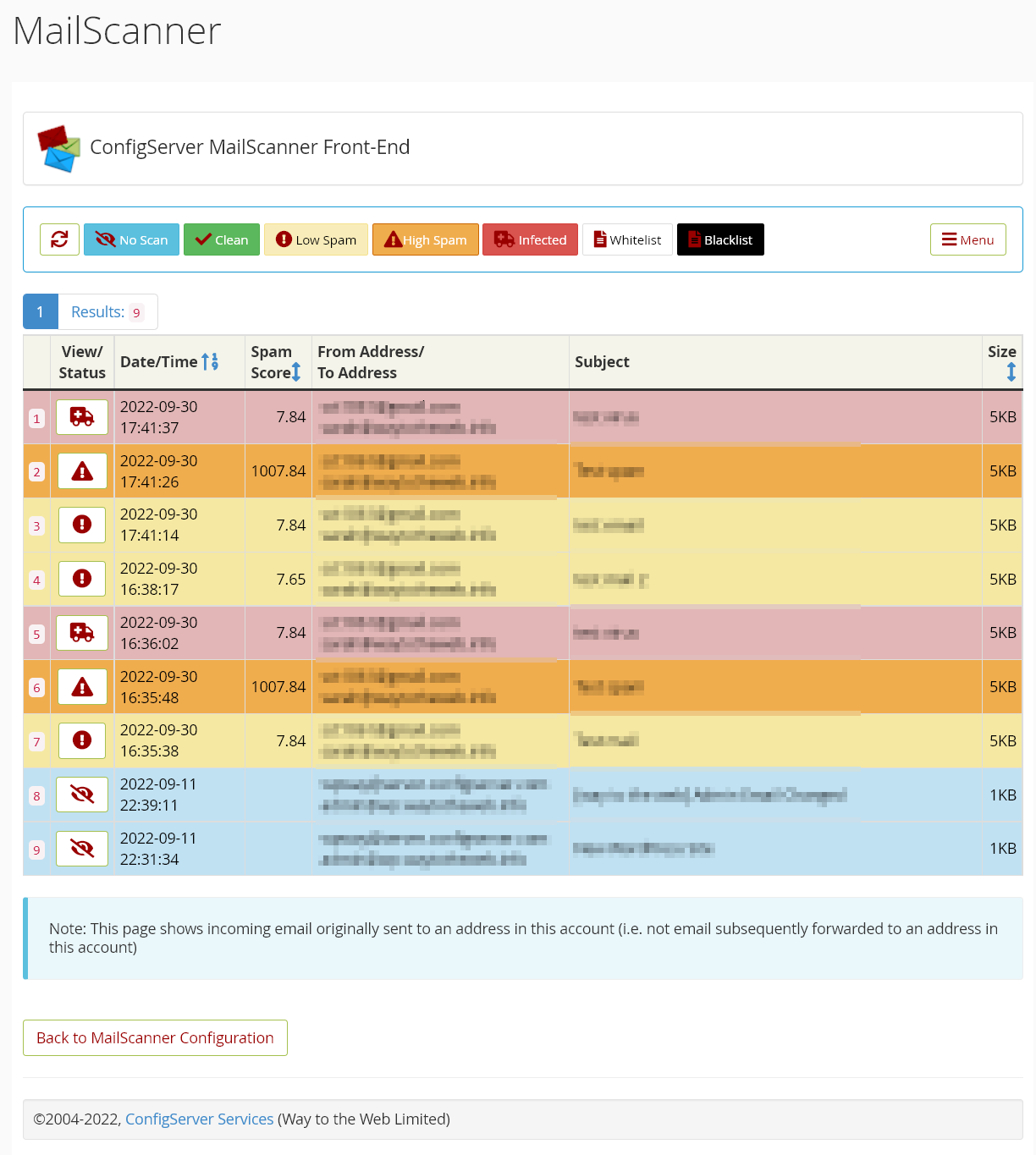
MSFE User MailControl view
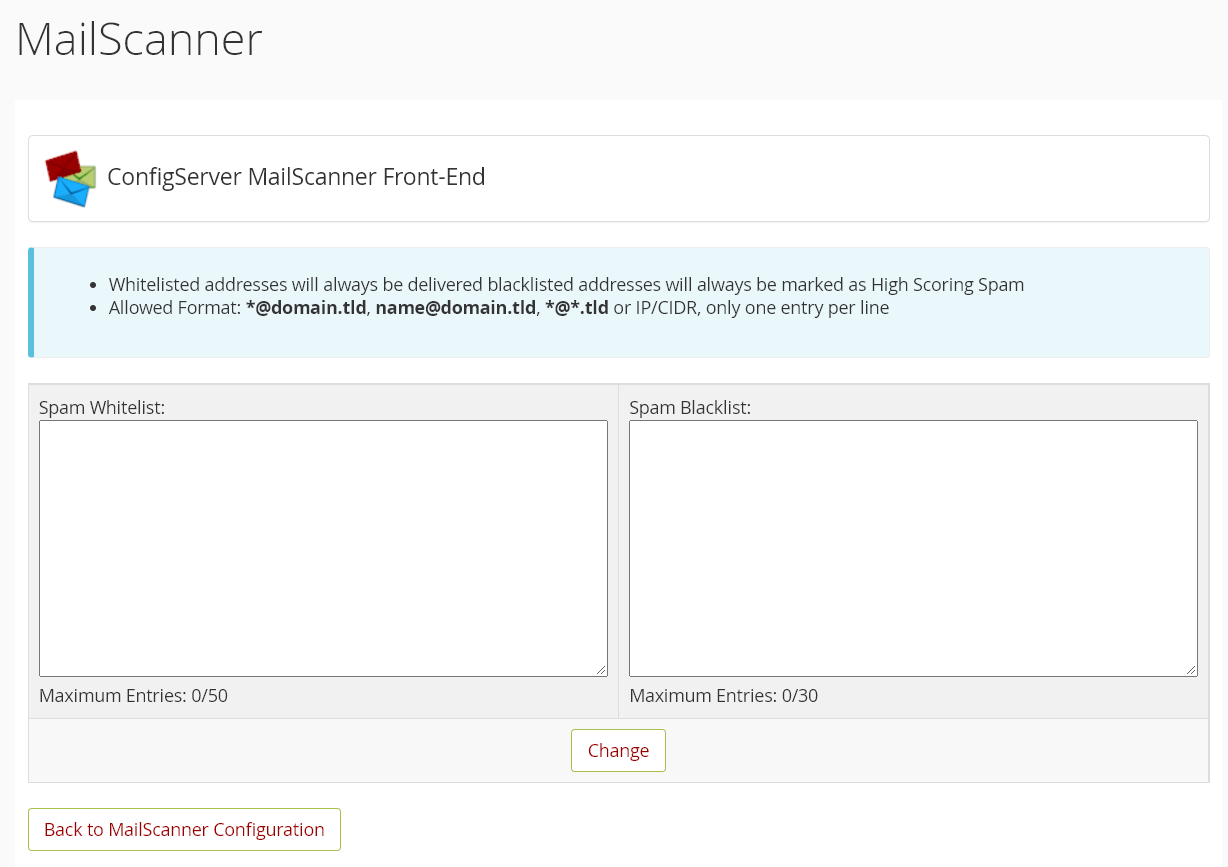
MSFE User black/white list settings

MSFE User interface other settings
Product Requirements
- cPanel/WHM – latest versions fully supported
- DirectAdmin – latest versions fully supported
- Supported OS’s for cPanel: Redhat v7, CentOS v7, Ubuntu v20.04 , CloudLinux v7/8, AlmaLinux/RockyLinux v8, AlmaLinux/RockyLinux v9
- Supported OS’s for DirectAdmin: RHEL v7 to v9, CentOS v7, CloudLinux v7/8/9, AlmaLinux v8/9, Debian v11, Ubuntu v20.04
- ClamAV daemon process, for virus scanning
- Minimum of 2 GB of RAM, preferably 3 GB. While we endeavour to configure MailScanner to be as efficient as possible, the application inevitably uses server resources. Due to this additional load, we recommend caution when installing MailScanner on a server which has less than 3GB of memory as ClamAV itself uses nearly 1GB.
- Root SSH access to the server is required for installation and some configuration actions.
Other Technical Information
- DirectAdmin MSFE only supports the exim named queue method (one process method), which means only smtp relayed email is scanned and therefore most outbound email will not be processed by MailScanner and will not be logged to MailControl.
- cPanel MSFE only works properly with themes that correctly implement the cPanel theme API.
- Use of a remote MySQL server for MailControl is not supported, but an option is provided for a local SQLite database. A common database for multiple MSFE/MailControl installations is not supported.
- Admin Front-End available only with root WHM login (cPanel) or admin login (DirectAdmin), not reseller accounts.
- cPanel will not provide support for mail issues while MailScanner is enabled. MailScanner can be disabled if reporting email issues to cPanel.
- If you choose not to have us do the installation, we provide instructions to self-install MailScanner, clamav, and the MailScanner Front-End in the Knowledgebase.
- MSFE uses a stable version of MailScanner which may not be the very latest version available from the MailScanner github repository.
Questions?
Contact us via Email or the Helpdesk
Check the Frequently Asked Questions
$55 per server
Purchasing
MailScanner Front-End is a commercial product that is sold and licensed on a per server basis. Unlike competing products, it is strictly a one-time per server license purchase with updates for the life of the product, all at a reasonable price! Initial default installation on a single server per license is included in the price. Please see the FAQ for more information about features and installation.